

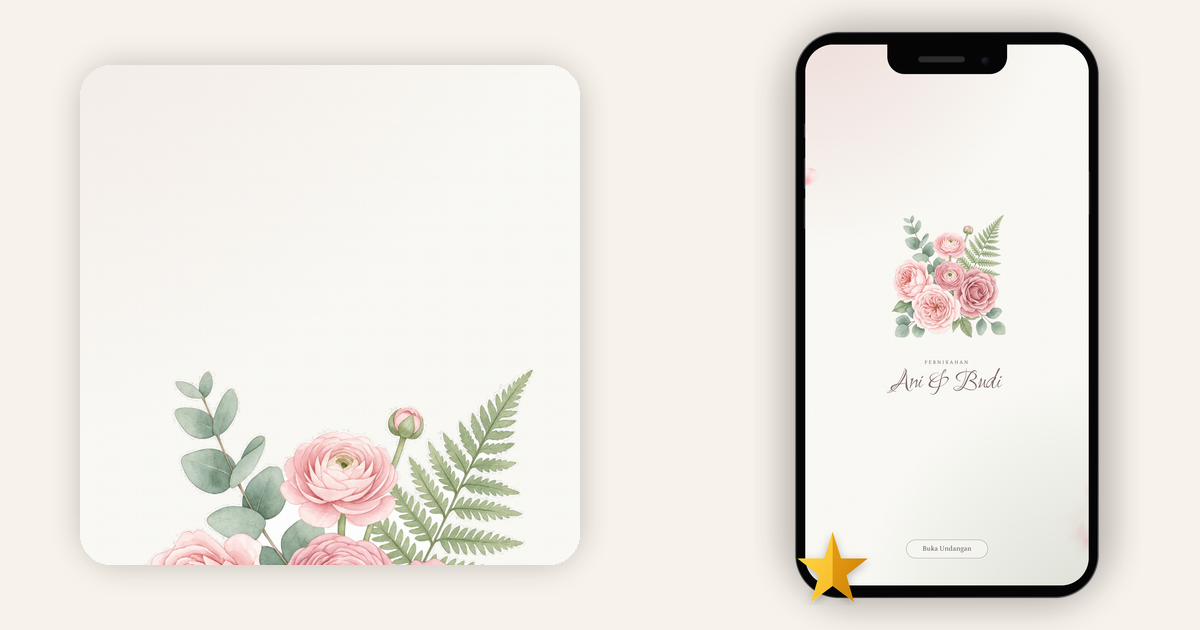
New Theme: Floral Watercolor, a Soft Watercolor Look for Your Digital Wedding Invitation
Some weddings announce themselves with gold foil and dramatic photography. Others go the opposite way: a blush-and-sage palette, eucalyptus sprigs tucked into the bouquet, pressed flowers as table names, a garden ceremony with forty people who matter. That second kind of wedding has a visual language, and guests now expect to recognize it the moment they open the invitation. Most of them will read it once, on a phone, between errands — so the first three screens set the tone for everything they assume about your day.
Our newest Premium theme speaks that language. It's called Floral Watercolor, and it joins the catalog as the seventh theme on Kuundang.
Where our Rose and Jasmine themes build around big photographs, Floral Watercolor builds around hand-painted botanicals. Blush roses and ranunculus, sage eucalyptus and fern, all floating on a dusty paper-cream background. Headings sit in a delicate letterspaced serif; the couple's names run in flowing script. Petals scatter lightly down the page, and content cards look taped on with strips of washi, like a scrapbook of the two of you. The mood we were chasing: a bouquet painted on good paper.
The guest experience, section by section
Here's what an invited guest actually sees, screenshotted from the live demo (the demo couple is Ani & Budi).
1. A cover that greets with a bouquet
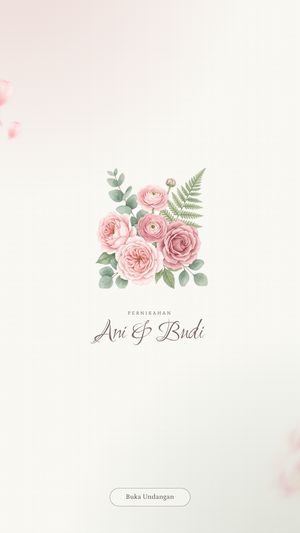
The landing page holds one painted bouquet, your names, and the button that opens the invitation. A small corner toggle lets guests start the background music — or leave it off, which many will thank you for. Once inside, the first section is a short prayer set against soft watercolor washes, a tone that fits family readers on both sides.
2. The couple, presented as taped polaroids
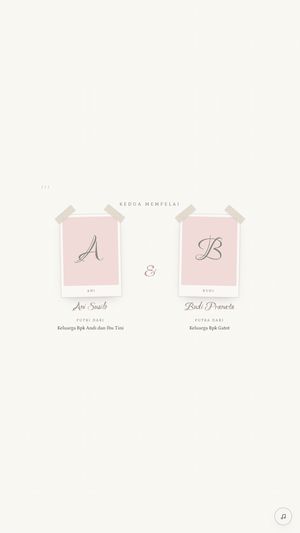
Both partners get a profile card styled like an instant photo, "taped" to the page with washi and marked with monogram initials. Family introductions feel warm and personal here, the way photos pinned into a shared album.
3. Ceremony and reception, side by side
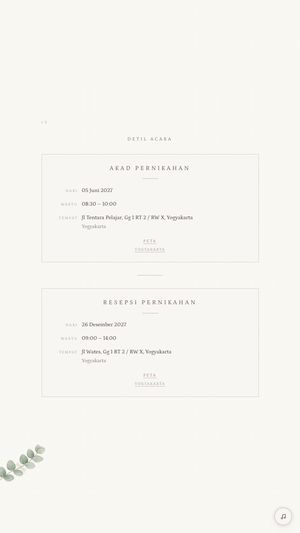
The ceremony (akad) and the reception each get their own card: date, time, venue address, and a Peta link that opens the location in a map. The theme is structured around the two-session flow many Indonesian weddings run, so you're never forcing a single-event template to do double duty. Right after this sits a quiet day-by-day countdown — the section guests love screenshotting and sending back to you.
4. A framed photo gallery
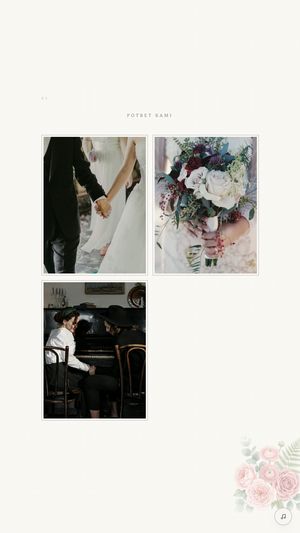
Your photos display in thin frames with a watercolor rose anchoring the corner. It's the calm way to show engagement pictures: the frames keep the gallery inside the theme's painted world instead of fighting it.
5. Wishes, pinned like notes on a wall
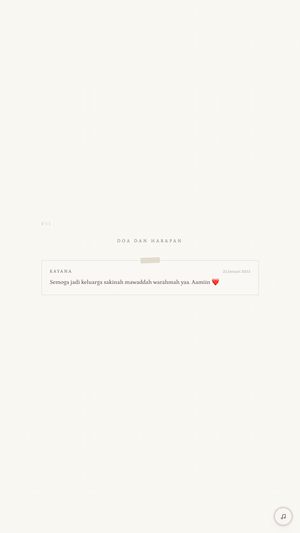
Guest messages collect in the wishes feed as little taped cards, notes pinned along your page. After the wedding, this tends to become the section the two of you reopen most.
6. RSVP without the follow-up texts
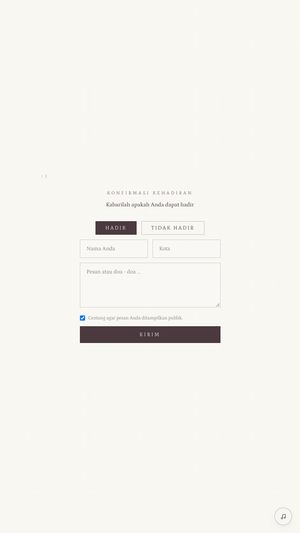
The last real job is attendance. Guests choose Hadir (attending) or Tidak Hadir (unable to come), add their name, city, and a message, then tick whether their message may appear publicly in the wishes feed. For you, it means a clean headcount instead of a WhatsApp thread full of "so, are you coming?"
Who Floral Watercolor is for
- Garden and intimate weddings in blush, sage, or cream — the style is visible before a single detail is read.
- Two-session events. Ceremony and reception each get their own designed card.
- Illustrated-floral people. If photo-dominant themes feel too loud for you, painted botanicals on a light canvas will land better.
- Family-heavy guest lists. The letterspaced serif and clear hierarchy make the details easy for older readers to follow.
Before you chase color palettes, get the bigger calls locked. Here are the ones that matter most: 5 Things to Decide Before Creating Your Digital Invitation.
Making the Most of the Look
A watercolor invitation performs best when the rest of your choices pull in the same direction:
- Choose photos that match the tone. Soft-light engagement shots and garden backdrops slip into these frames easily. High-contrast neon edits look out of place next to painted petals.
- Carry the palette into your wording. If your invitation names blush and sage, your guests arrive at the venue already picturing the right room.
- Preview long names. The couple's names run in script, so unusual spellings and longer names deserve a look in the preview before you hit send.
- Fill in the event details early. Dates, times, and addresses are what guests actually screenshot, and the countdown and map links shine once those are final. Everything else can be revised later.
Try it before you commit
Open the theme in the live demo and scroll it the way your guests will: try the Floral Watercolor demo. Play the music toggle, read the countdown, and decide whether the mood matches your day.
How to use it
Floral Watercolor is a Premium theme. In the app, create your invitation, go to the Design tab, pick Floral Watercolor, and preview. The free plan keeps its two dependable themes, Simple and Modern; Premium opens all seven. It's a one-time Rp 99,000 per invitation, no subscription, and it also covers unlimited guest names, background music, a digital envelope, Excel export for your guest list, and an ad-free invitation. Upgrade in the app or at web checkout.
Start soft
Watercolor style lives in restraint: fewer colors, breathing room, hand-drawn detail. Your invitation deserves the same care. See the demo, or create your invitation on Kuundang and pick Floral Watercolor in the Design tab.