


5 Things to Decide Before Creating Your Digital Invitation
⏱ Time needed: 5 minutes to read · saves an hour of rework later
🎯 What you'll achieve: A ready-to-use decision list so building your invitation becomes fill-in-the-blanks.
Here's the secret of couples who "whip up" a beautiful digital invitation in ten minutes: the hard part wasn't the app — it was the decisions. The app just captures them. Sort these five things first and creating your invitation becomes a satisfying fill-in-the-blanks exercise.
1. The Date — and Which Sessions You're Inviting To
Most weddings are really two events: the ceremony (akad/nikah/vows) and the reception. Decide:
- Dates & times for each session
- Who's invited to what — many couples keep the ceremony intimate (family only) and open the reception to everyone
- One date or a wedding weekend across two days
Your invitation has to answer "when" for every guest — and if sessions differ, it should show each guest exactly the session they're part of.
2. The Venue (and How Guests Find It)
Lock the venue name and — crucially — the exact map pin. Guests don't read addresses; they tap the map button and drive. Before finalizing anything:
- Open the location in Google Maps yourself and check the pin
- Note landmarks ("behind the Grand Mosque", "opposite the station") to include in your wording
- If parking is tricky or there's a shuttle, that belongs on the invitation too
3. The Theme and Tone
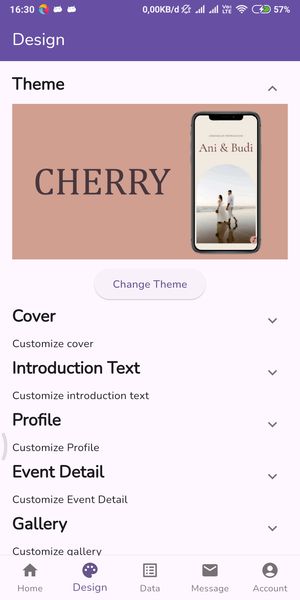
Your invitation's look sets guest expectations for the wedding itself — florals whisper garden, deep green and gold say formal ballroom. Decide as a pair:
- Pick 2–3 themes you both like (don't preview options alone — that's how surprises happen at 11 PM)
- Match the venue and dress code
- Choose the wording tone: formal, warm-casual, religious, or modern-minimal
4. The Guest List (At Least a First Draft)
You don't need the final list before creating the invitation — but you need a draft, because the list determines things the invitation must answer:
- How many households, how many +1s and children → does the invitation say "and guest"?
- Do some guests need a personalized greeting? (Recipient-name features solve this in bulk)
- Elderly relatives who'll want a phone number — list one in the invitation
📋 Numbers still fuzzy? Run the quick math in How Many Guests Should You Invite?
5. Your Couple Photos (and the Names as They'll Be Printed)
Decide the presentation of your names before you type them anywhere:
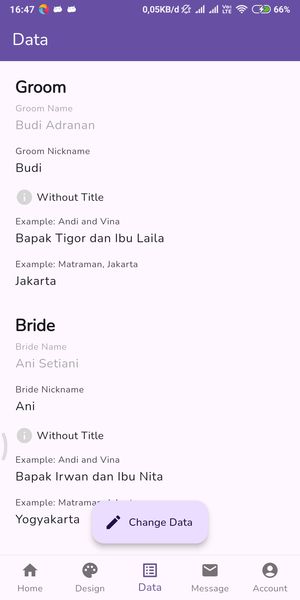
- Full legal names or first names? Titles (dr., H., Hj.)?
- Parents' names in what format ("daughter of Mr. X and Mrs. Y")?
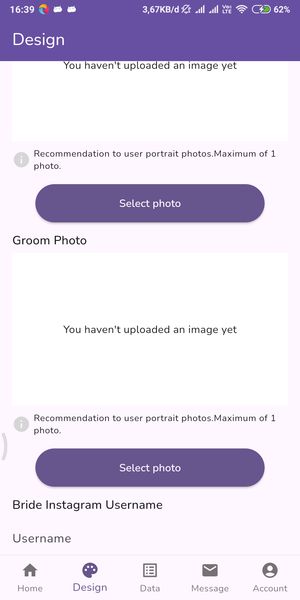
- One shared photo set or individual profiles for bride and groom?
Then pick photos that suit the format: vertical portraits photograph best on mobile invitations — busy backgrounds and horizontal group shots get cropped.
💡 Pro Tip
Write all five decisions in one note and share it with your partner and whoever helps you plan. The invitation takes ten minutes to fill out — but arguments over nicknames and aunts on the guest list will eat any evening. A shared decision sheet keeps everyone (including grandma) out of the loop after publication, not during it.
🔧 Pre-Creation Sanity Check
| Question | If "no"… |
|---|---|
| Can both families live with the date? | Lock it with the venue deposit first |
| Is the map pin accurate? | Fix it before sharing — "we'll text directions later" never scales |
| Do you both approve the theme? | Decide together now; switching later is easy but re-preview together |
📖 What to Read Next
- ➡️ Digital Wedding Invitations: A Complete Beginner's Guide
- ➡️ Just Engaged? Your First 7 Days Wedding Planning Checklist
✨ All five decided? Build it now
You're one 10-minute session from a published invitation — create it free on Kuundang →